
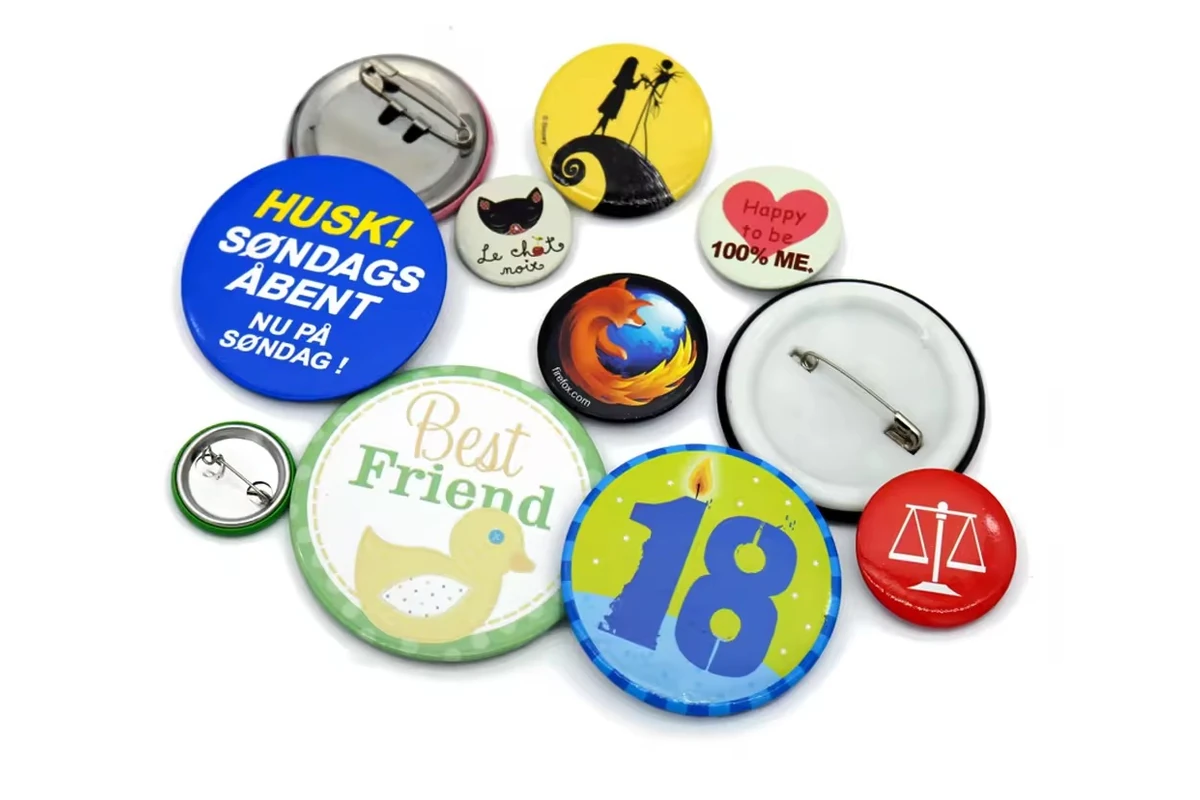
Plan event button badges around the message, pieces per design, approval deadline and date the issuing team needs them. Choose the badge format after those decisions are clear. Then use the manufacturer's artwork template, approve the physical presentation and confirm how the order will be packed and received.
A badge order is not finished when the artwork is attractive. An event team also needs the correct versions, useful quantities, clear carton identification and enough receiving time to put the badges where they will be used. This guide connects those tasks without assuming a fixed delivery lead time.
1. Give each badge one clear job
Decide what the badge is meant to communicate: a campaign message, event identity, supporter artwork or a staff role. Rank the message elements before selecting a size. If an event title, date, sponsor line and long statement compete equally, the design may be crowded before production is even considered.
| Badge purpose | First question | Artwork priority |
|---|---|---|
| Campaign giveaway | What should a person notice immediately? | One recognizable message or graphic |
| Event souvenir | What should remain meaningful after the event? | Name, occasion and date where relevant |
| Volunteer or staff identifier | What role information must the team recognize? | Exact role wording and a clear hierarchy |
| Multi-session event | Which versions genuinely need to differ? | Controlled session names or approved identifiers |
| Sponsor-supported item | Which wording and logo arrangements are mandatory? | Approved brand files and relative prominence |
Put secondary explanation on the distribution material when that suits the project. A button badge does not need to carry the entire event program. Have the organizer agree what must remain before asking a manufacturer to adapt the layout.
2. Request the template for the actual construction
Start with the chosen shape and size, then request the corresponding artwork template. A file prepared for a different button format can place important content too close to the visible edge or omit the artwork needed around it.
A template should distinguish the visible face, the relevant edge or wrap area and the safe placement of important content. Tecre's button-layout instructions distinguish live graphic and edge/bleed areas. Use that concept, but obtain the actual dimensions from the manufacturer making your badge.
Keep background artwork extending through the area required by that template. Keep the event name, date and critical logos within its specified visible and safe regions. Do not adopt one bleed width found online for every shape or machine.
Before approval, check:
- The file matches the quoted shape, size and upright orientation.
- The final wording, date and sponsor identities are correct.
- The edge treatment is intentional and essential content remains visible.
- The print view is shown at finished size as well as enlarged.
- Any relationship between front orientation and the reverse attachment is resolved.
The artwork guide covers file organization and revision naming. Keep the original editable source and a clearly identified approval preview together.
3. Calculate quantities for each design before allocating packs
Make one line per design and ask how proposed variations will be counted. A changed role, message, date or other artwork element may affect the production grouping. Do not assume all versions of one event count as one design.
WisePins requires 500 pieces per design. Different designs cannot be combined to meet the minimum. This is a reason to discuss the number of versions early, particularly when only a small team needs a distinct badge.
The following is an invented allocation example, not a customer order or standard reserve recommendation:
| Design | Initial distribution | Planned later issue | Chosen reserve | Order quantity |
|---|---|---|---|---|
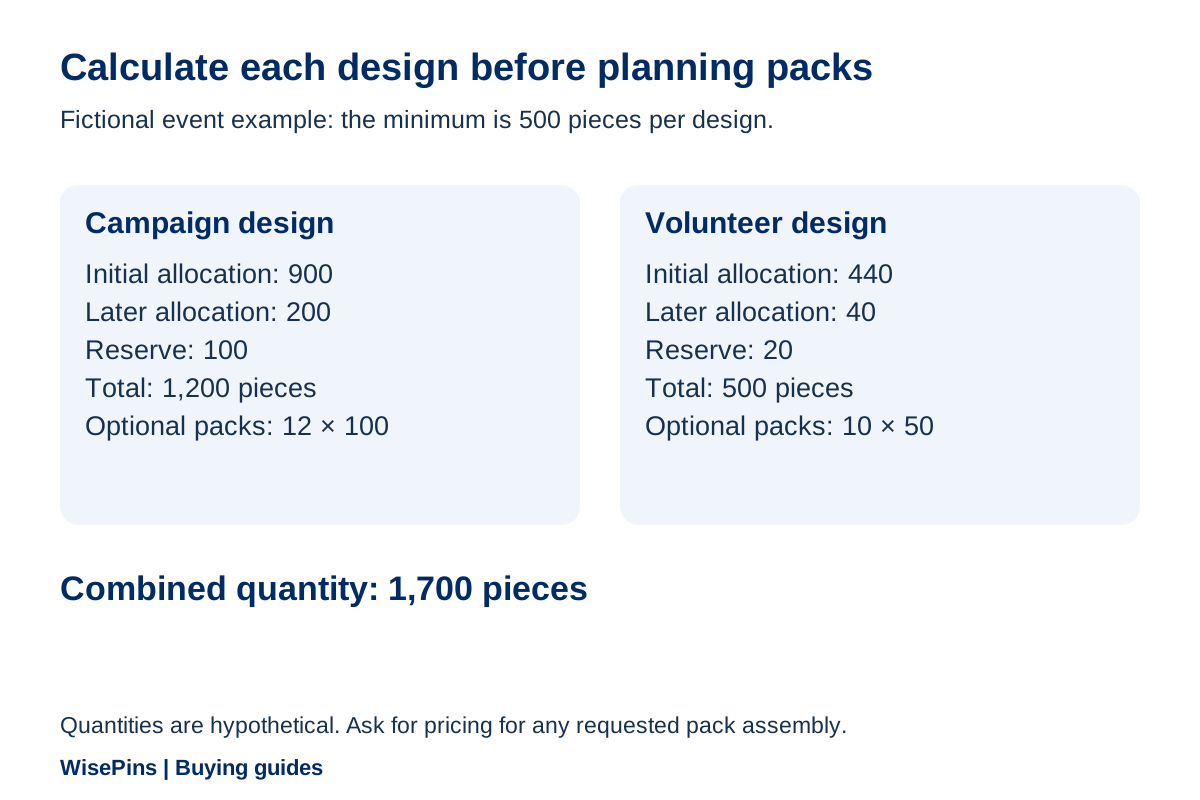
| Campaign message | 900 | 200 | 100 | 1,200 |
| Volunteer design | 440 | 40 | 20 | 500 |
| Total pieces | 1,340 | 240 | 120 | 1,700 |
Each design meets the minimum independently. The reserve is chosen for the example; it is not a percentage every event should add. Check whether the badges will remain useful after the date printed on them.
Now separate production quantities from distribution packs. The 1,200 campaign badges could be planned as 12 bundles of 100, while the 500 volunteer badges could be planned as 10 bundles of 50. Confirm whether the supplier can provide that sorting and how it will be charged. Ordering a quantity does not automatically include a particular packing service.
4. Confirm the back and the way the badge will be issued
Tell the manufacturer where and how the badge will be worn. Confirm the attachment offered for the selected button construction rather than copying a backing description from an unrelated metal pin.
Review the complete sample: face, edge, reverse, attachment operation and orientation. If it will be issued on a card or in a bag, check that presentation too. A correct front print does not settle how the event team will handle, sort or hand out the item.
If the venue or organization has requirements concerning attachments, materials or use, provide them before quotation. Ask which product options can meet those requirements. A supplier's available range does not establish that every option suits every setting.
For packaging, state the number per inner pack, whether designs must remain separate, and the information you need on labels. Useful fields can include design ID, quantity, destination desk and order reference. Ask for feasibility and pricing before treating the label plan as an agreed service.
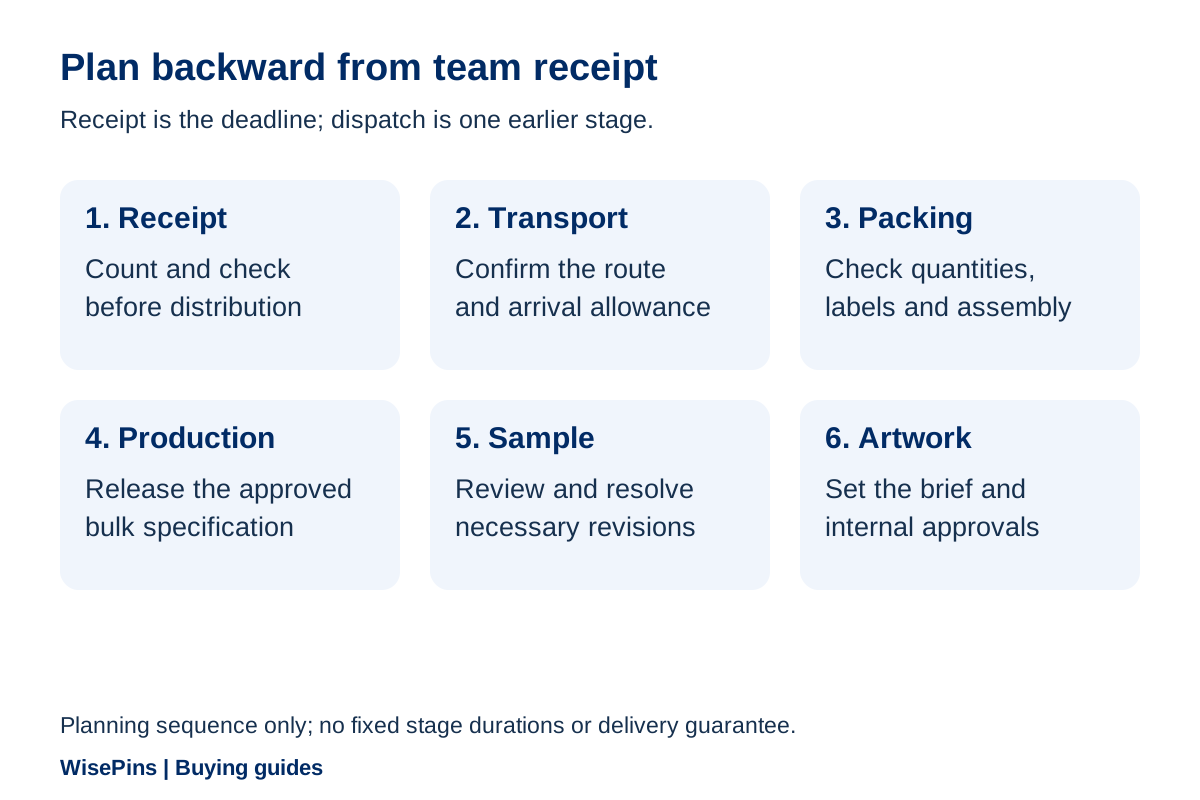
5. Build the schedule backward from team receipt
Use the date when your event team must receive and organize the badges, not merely the event opening date. Receiving at a warehouse, delivering to a venue and issuing to volunteers may be separate activities.
| Work backward through | Include in the plan |
|---|---|
| Distribution readiness | Sorting, counting, movement to desks or teams, and issuing |
| Receipt at the correct address | Available receiving hours and the named receiving contact |
| Bulk transport | Confirmed route and estimated delivery arrangements |
| Production and packing | Released specification, final quantities and agreed sorting |
| Sample review | Sample delivery if needed, internal review and revisions |
| Artwork approval | Sponsor, organizer and purchasing decisions on one revision |
WisePins' usual sample-making estimate is about 10–15 days; projects requiring new mold development need approximately 10 additional days. Bulk production usually takes about 20–25 days, depending on specification and production arrangements. These are stage estimates, not an all-inclusive delivery promise. Confirm which development steps apply to the actual button project, and plan review and transport separately.
Use this calculation to turn the stages into a provisional start date:
Planning start = required team receipt date − artwork allowance − applicable development/sample time − sample transport − review/revision allowance − production − bulk transport − contingency.
Here is a worked example, using a single sample round and no new mold. The 15-day sample and 25-day production allowances use the upper ends of the usual estimates above. Every other duration is an invented buyer allowance. This is an illustrative calendar plan: for arithmetic only, all entries are treated as consecutive elapsed days and all stages run in sequence. It does not redefine the manufacturer’s quoted time basis. Confirm calendars, holidays and actual stage boundaries with the supplier and carrier before assigning dates.
| Stage, working backward from team receipt | Allowance in this example | Provisional start relative to receipt |
|---|---|---|
| Contingency before required receipt | 7 days | 7 days earlier |
| Bulk transport | 10 days | 17 days earlier |
| Production | 25 days | 42 days earlier |
| Buyer sample review and approval | 5 days | 47 days earlier |
| Sample transport | 5 days | 52 days earlier |
| Sample making | 15 days | 67 days earlier |
| Artwork preparation and approval | 5 days | 72 days earlier |
Example total: 5 + 15 + 5 + 5 + 25 + 10 + 7 = 72 days before team receipt. Initial inquiry, quotation and any order-release requirements happen before this modeled sequence. Your team's sorting and issue period belongs after receipt, so choose a receipt date that leaves that time available before the event.
If new mold development applies, counting its additional approximate 10-day stage once before sample making makes this example about 82 days. Confirm whether it applies to the selected button construction. If the supplier’s revised sample-stage total already includes the mold work, do not add it again. Sample making follows the agreed artwork and release requirements; bulk production follows sample and specification approval. If the sample needs remaking, add the affected making, transport and approval steps; the 5-day review allowance does not include another physical sample cycle. Also confirm whether the production allowance includes the specified packing work and add any separately scheduled work once.
These totals are planning examples, not WisePins delivery promises or universal order deadlines. Replace the assumed figures with the confirmed route, approvals and production plan. If the available time is shorter, identify the specific stage that can change before accepting the order; a faster carrier cannot recover time while artwork remains unapproved.
6. Give late changes a controlled decision
Name one person who consolidates event-team comments. Keep the artwork revision, quoted specification and approval status visible to everyone responsible for the order. A new logo from a sponsor should not quietly replace an already approved file.
Use a change record that answers practical questions:
| Field | Example of the information to record |
|---|---|
| Change requested | Replace the event date on design B |
| Affected files | List the exact design and current revision |
| Work status | Ask whether development, printing or assembly has begun |
| Supplier response | Identify revised work, price and timing effects |
| Internal decision | Accept the change or retain the approved version |
| New release | Record the accepted revision and agreed next step |
This is a suggested record, not a claim about WisePins' internal system. Its purpose is to prevent an old approval from being applied to new artwork.
Set your internal cutoff after discussing the real production sequence. Avoid promising your sponsor that a date can still change simply because the parcel has not shipped. Confirm what is feasible at the point the request is made.
7. Send one brief that connects artwork and delivery
A useful inquiry includes the event purpose, message, design count, quantity for each version, preferred shape and size, intended wearing arrangement, packing requirements, receipt date and destination.
You can use this outline:
Event and purpose: [state]. Badge versions and exact wording: [list]. Quantity per design: [list separately]. Proposed shape and finished size: [state or request advice]. Artwork file/revision: [identify]. Please provide the appropriate template and identify the required artwork areas. Attachment and presentation: [describe]. Packing and sorting: [request]. Required team receipt date and destination: [state]. Please confirm development, sample, production and transport assumptions, with charges and exclusions identified.
An initial idea, photo or sketch can start the WisePins discussion; the full brief can develop as choices are resolved. Use the quote comparison guide to compare the final offers on the same basis.
Ask what the quoted product includes. A per-piece price without the required sorting, packaging or delivery scope may not represent the project your event team expects.
8. Check receipt against the issuing plan
Before dispatch, confirm the receiving address, contact and any practical delivery instructions through the agreed order process. Ask for the agreed packing information so your team knows which design and quantities to expect.
On receipt, compare the shipment with the order and distribution plan. Check design identifiers, quantities, the specified presentation and any concerns requiring prompt discussion. Keep reserve stock identifiable instead of mixing it into the first desk allocation.
Use an issue sheet for multiple teams: design ID, pack quantity, recipient desk and quantity issued. Reconcile the remaining stock when the event closes. This turns a vague “we ordered enough” into useful data for the next event without assuming a general replacement percentage.
Save the final artwork and approval with that result. Next year's buyer should be able to distinguish an intentional message update from an accidental reuse of last year's date.
Frequently Asked Questions
At WisePins, the minimum is 500 pieces per design, and different designs are counted separately. List every proposed version and ask how it will be classified before approving a multi-design event range.
Request the template for the actual shape, size and construction. Follow its visible-face, edge and safe-area instructions. A generic bleed value or another supplier's template does not establish the correct file for your order.
Ask the manufacturer how the proposed changes affect design grouping and production. Do not assume changing text is included as a single design. Discuss whether the event can use a shared badge and separate role information if small individual quantities do not fit the project.
Work backward from the date your team must receive the badges. The example above starts its artwork stage 72 days before receipt, or about 82 days if new mold development applies, with inquiry and quotation earlier. Those totals use stated assumptions, not a standard lead time. Replace each allowance with your project’s confirmed schedule and leave time after receipt for counting and distribution.
Describe the required pack quantities, separation and labels in the quotation brief. Ask what can be supplied, how it will be packed and any extra charges. Do not assume that a bulk quantity automatically includes custom sorting or venue distribution.
Prepare an event badge plan your team can use
Send WisePins your event message or artwork, quantity per design, intended use and required receipt date. Identify the packing and approval decisions your team has already made and those that need discussion.
Explore custom button badges or contact WisePins to discuss the specification and sampling route. Keep the final design, quantity and issuing plan together through delivery.
Discuss Your Project